LiteLLM
API-key gateway
- Reaches the model through
- Paid API keys, across many providers.
- Built for
- Teams: budgets per team, user and key.
- Pick it when
- You pay per token and want one endpoint over all of it.

Your LLM subscription — as a REST API for your own apps
A personal project for experimenting on the subscriptions you already pay for, through the official, unmodified CLIs — the lowest-risk way to do it.
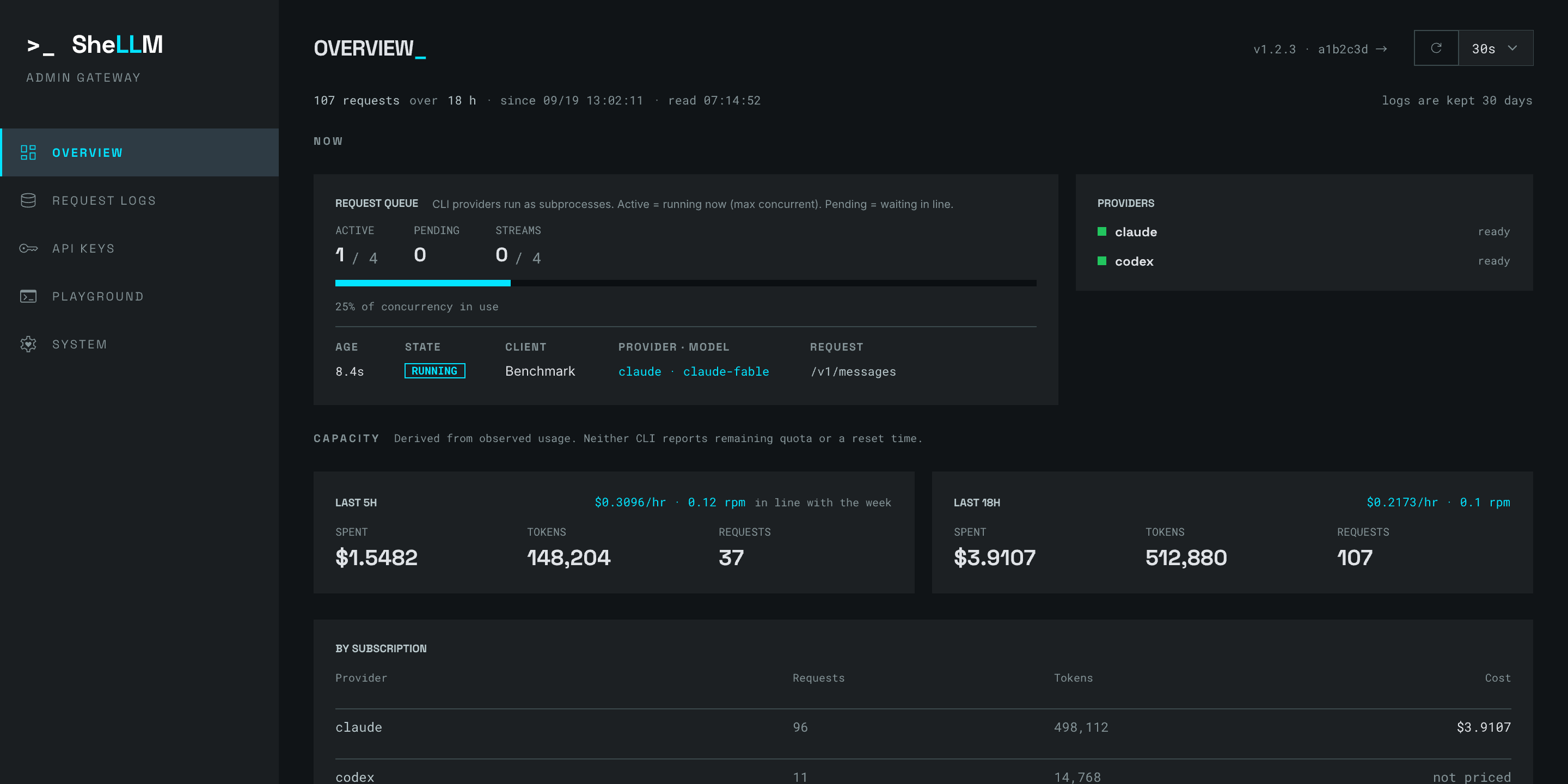
A personal project: experiment with LLMs from your own software on the Claude Code or Codex subscription you already pay for, instead of buying API credit on top. SheLLM runs the official CLI behind one endpoint that answers in both the OpenAI and the Anthropic formats.
You already pay the subscription, so the marginal request costs nothing extra — and for Claude the CLI reports what it would have cost on the API, attributed to the key that made it. That is the figure above.
Every request starts the CLI and pays for it — about 0.9 s of a short call on the server,
a cold start that is permanent.
Streaming is what makes it usable: claude-sonnet starts writing at 1.7 s of a 5.5 s request
(measured).
Four requests, played through SheLLM. Pick one and watch what it becomes on the way to the CLI and back.
Nothing here is typed by hand. The argv, the responses and the log rows come from running
each request through the app against CLI output recorded from claude 2.1.273 and
codex 0.154.0 — and a test
fails the day any of it stops being true.
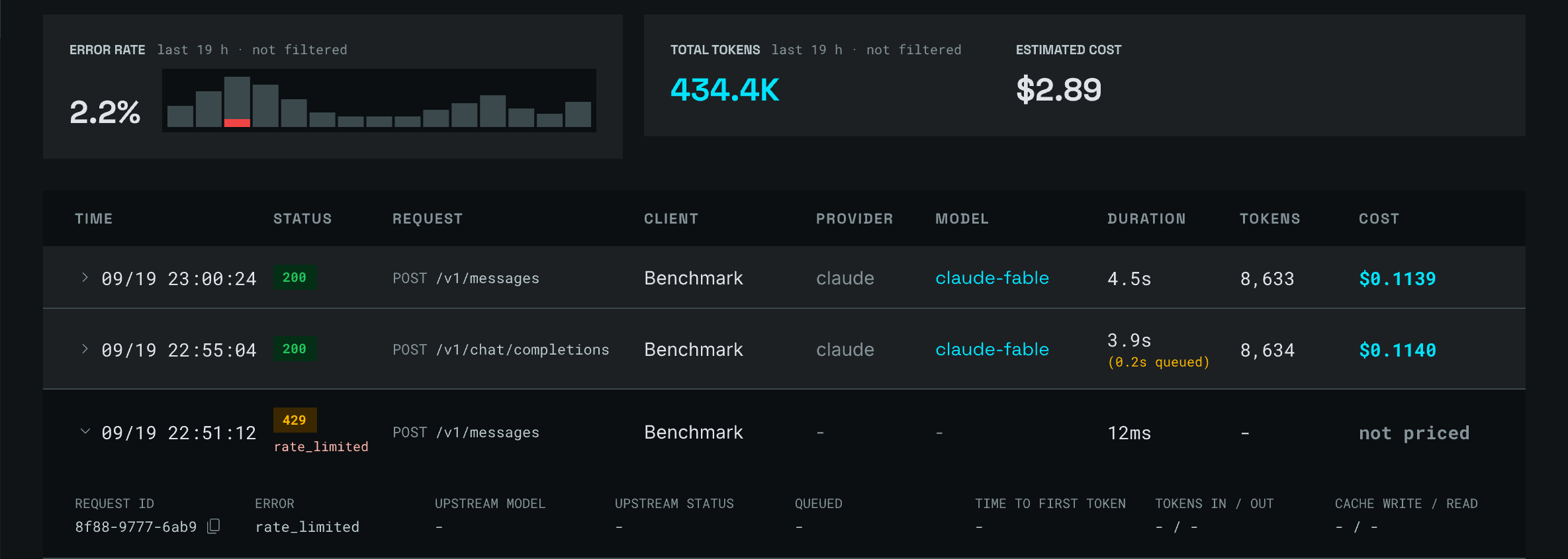
Every request, with what it cost and why it failed.
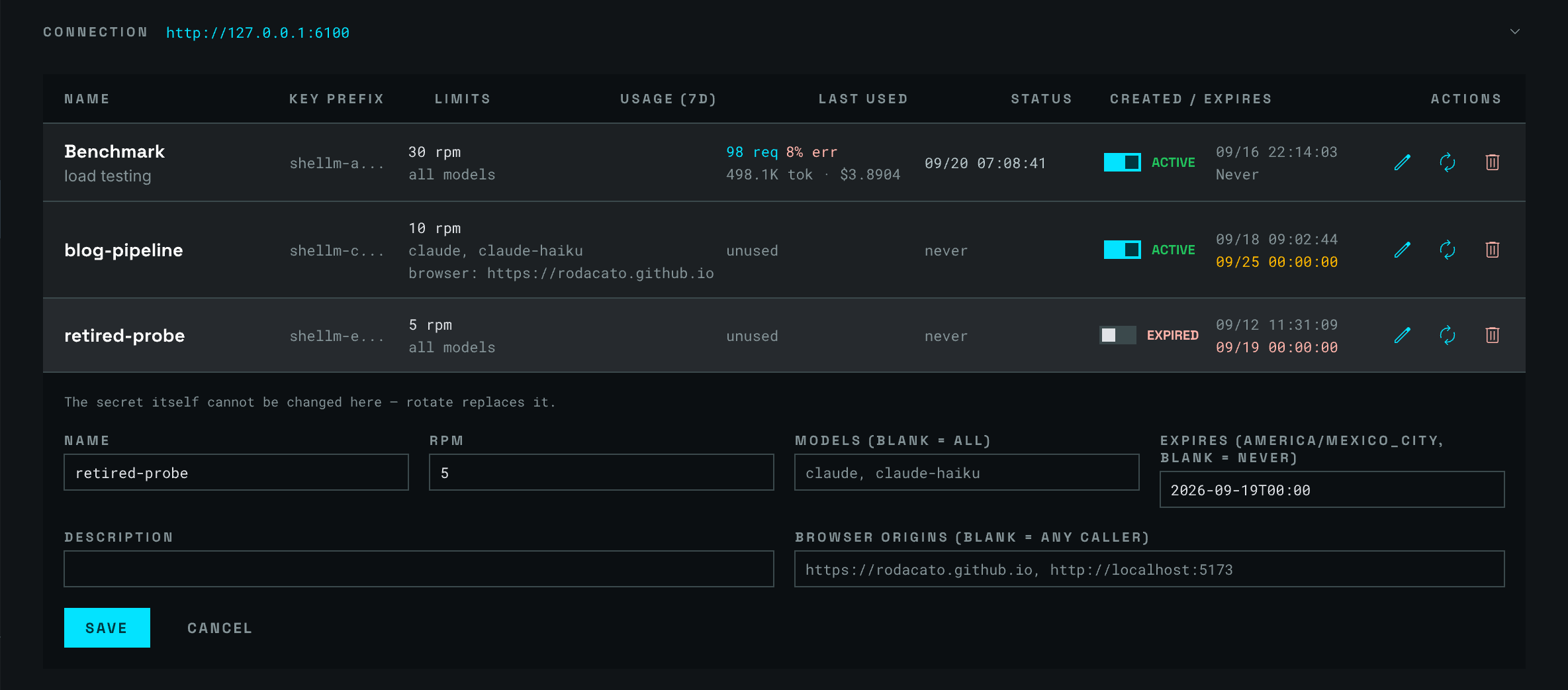
A key per app, with its own rate limit, models and spend.
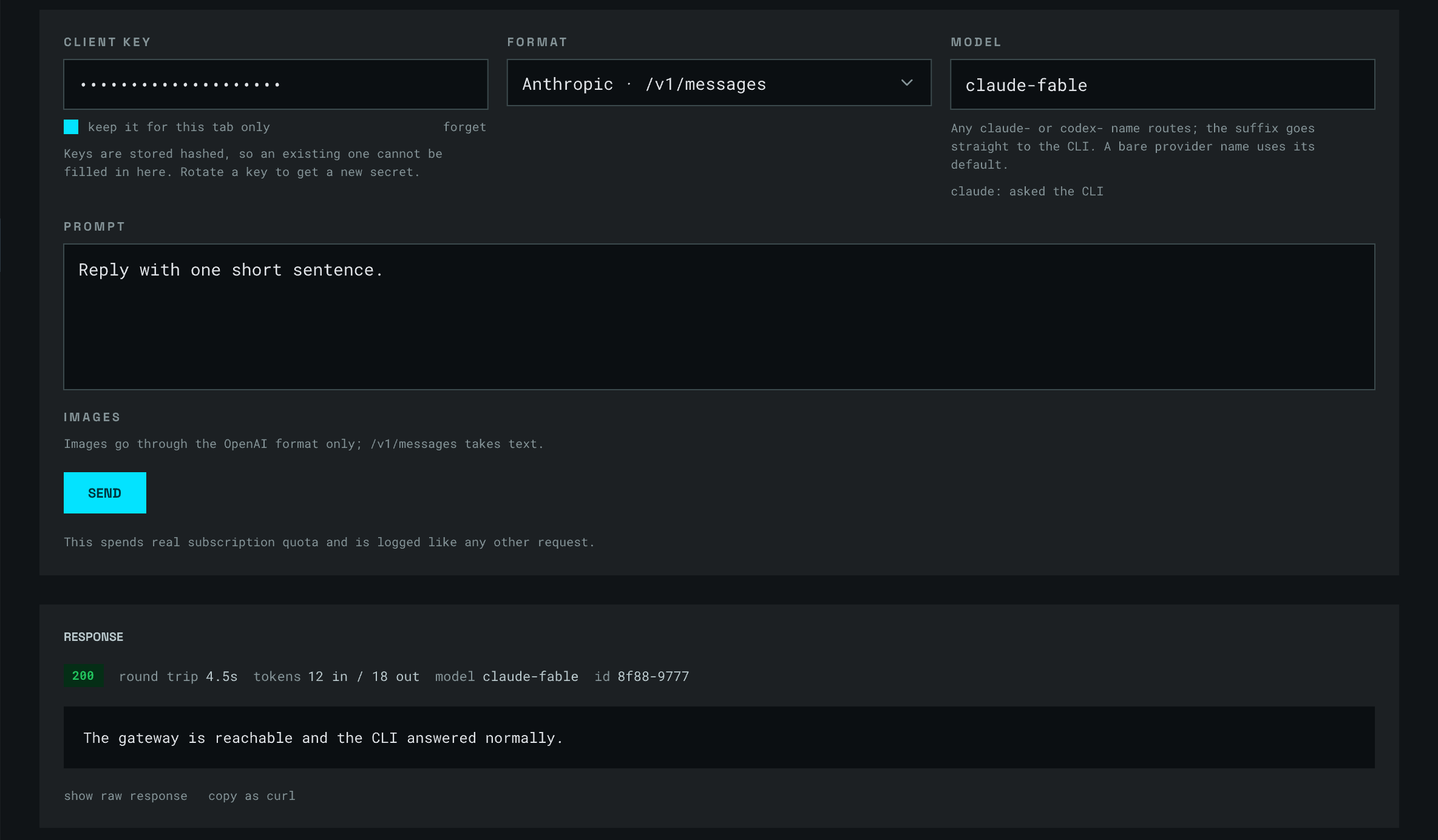
Send a real request down the path your app takes.
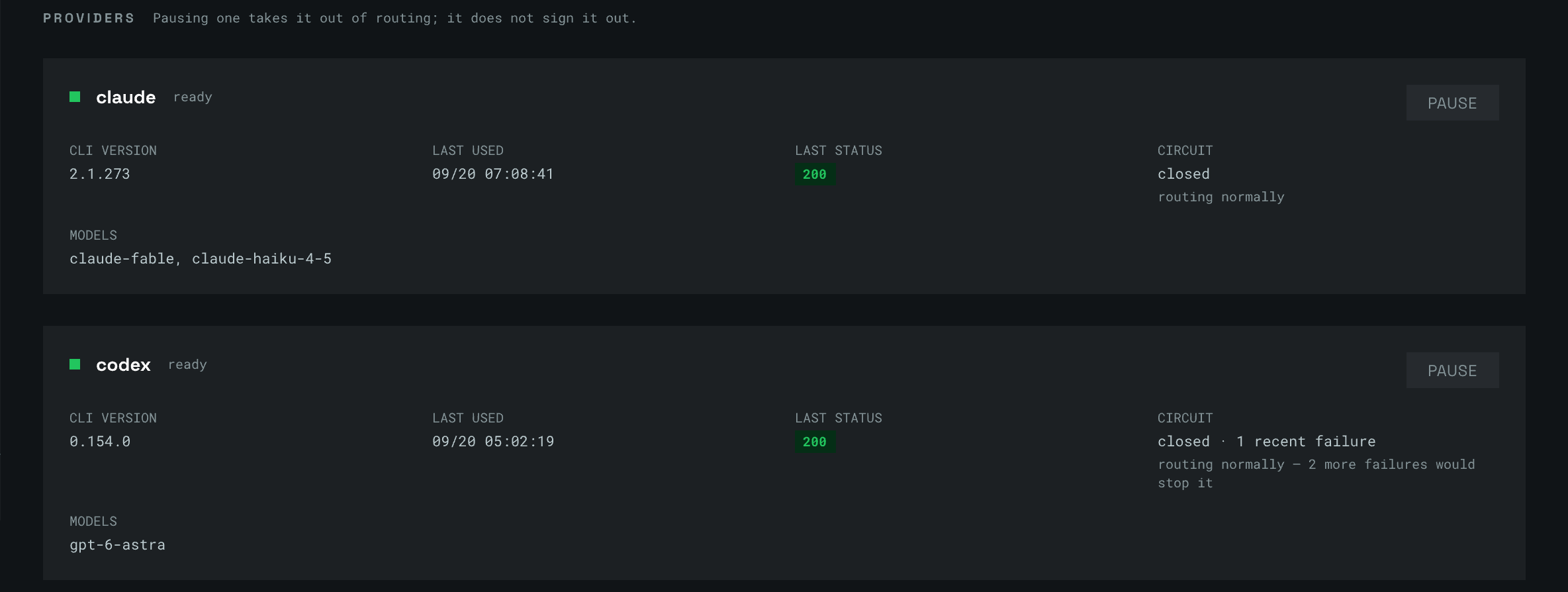
CLI versions, circuit state and what is queued right now.
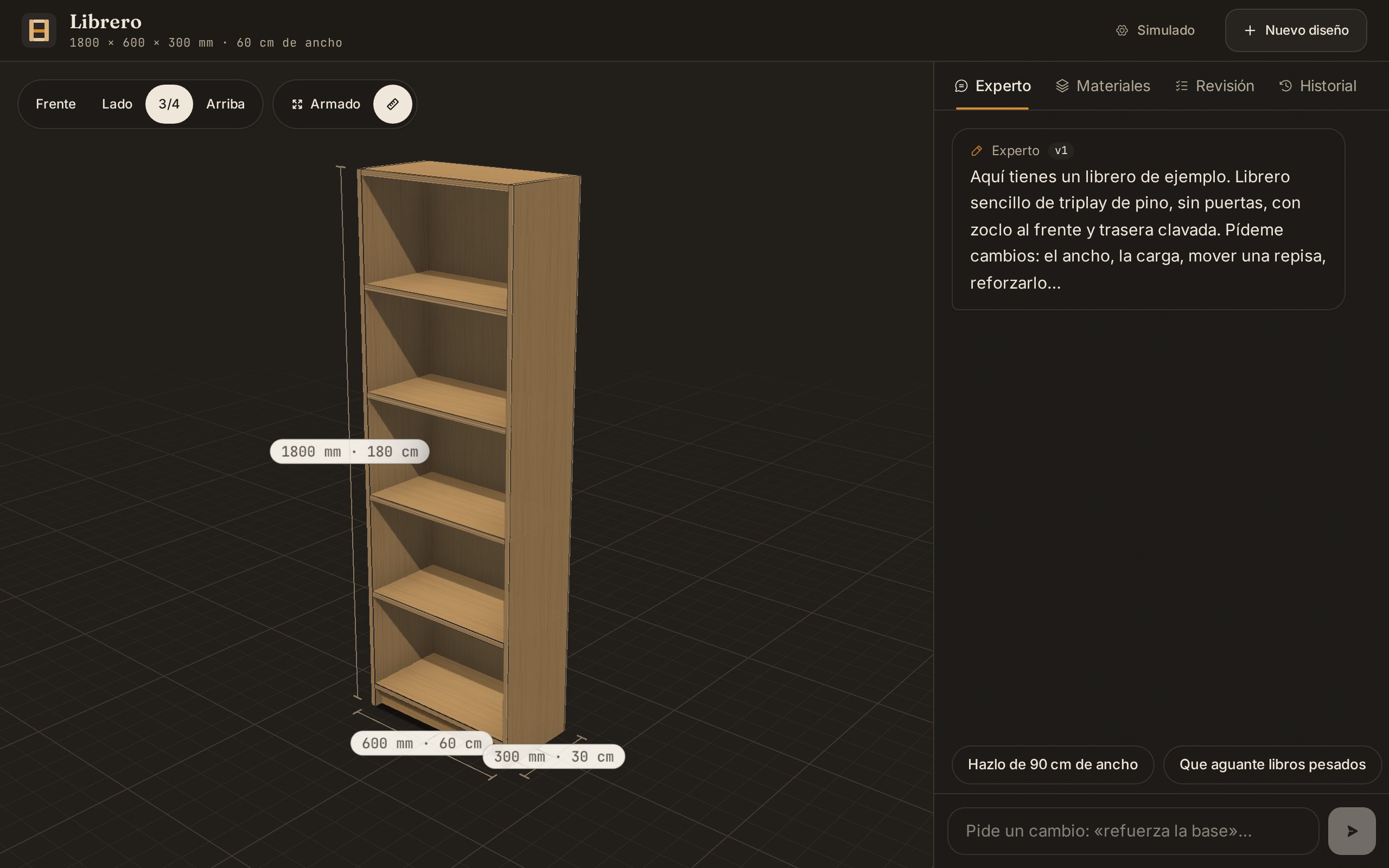
Photos of a piece of furniture in, a plywood design out — then adjust it by talking to a carpenter.
images · json_schema · from the browser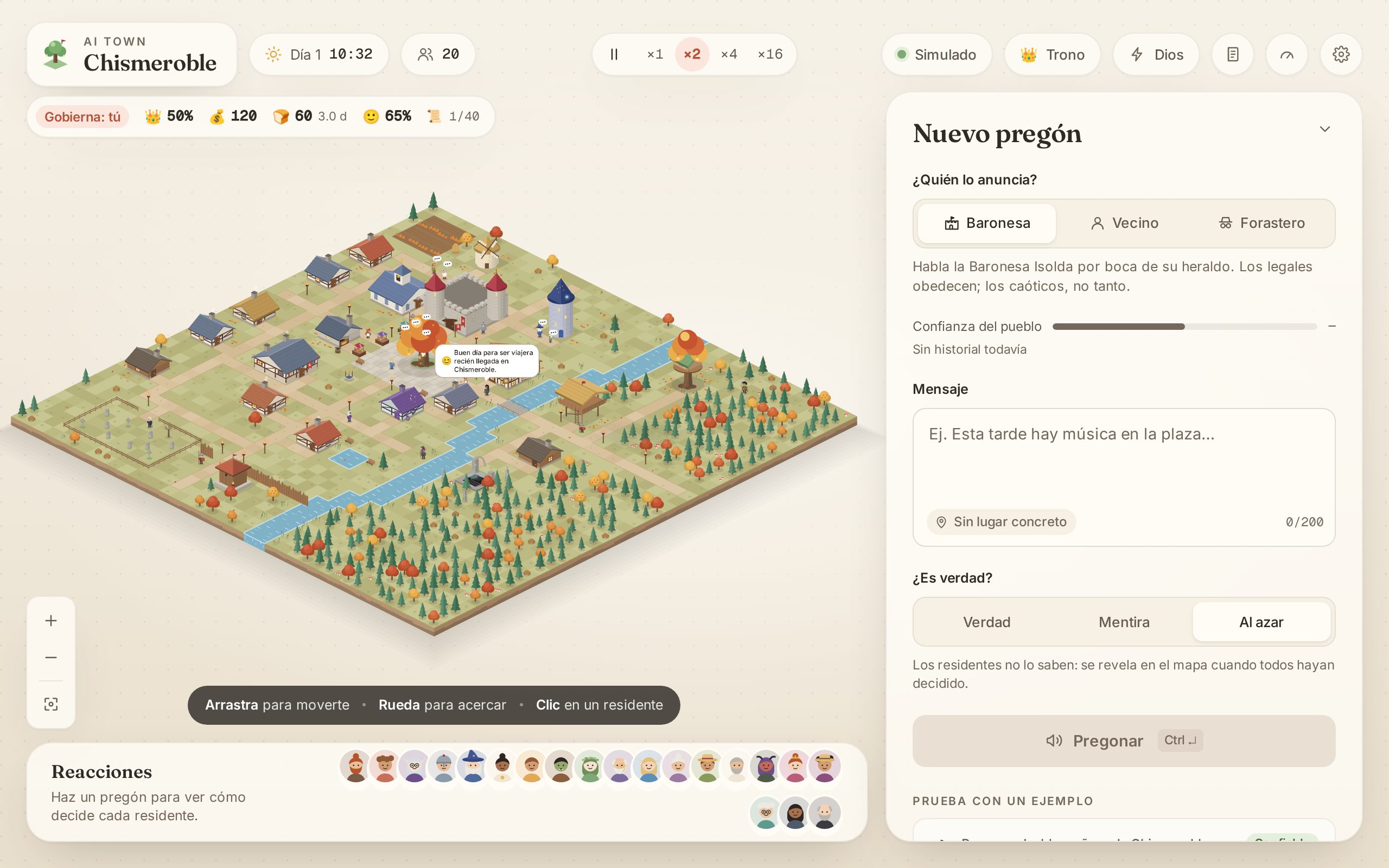
Twenty villagers hear a proclamation and each decides what to do. Same prompts, any model: compare the decisions, latency, tokens and cost.
either format · many small calls# Node.js 24 and a logged-in claude (or codex) on the same machine $ git clone https://github.com/rodacato/SheLLM.git && cd SheLLM $ npm install && npm link $ shellm init # prints the API key (shown once, store it now) — export it as SHELLM_KEY $ shellm start
$ curl http://127.0.0.1:6100/v1/chat/completions \
    -H "Authorization: Bearer $SHELLM_KEY" \
    -H "Content-Type: application/json" \
    -d '{"model":"claude-haiku","messages":[{"role":"user","content":"Hello"}]}'

{
  "id": "chatcmpl-9f3a41c6-0b7e-4d21-a5f8-1c2e7b904dd3",
  "object": "chat.completion",
  "model": "claude-haiku-4-5-20251001",
  "choices": [{
    "index": 0,
    "message": { "role": "assistant", "content": "Hello! How can I help you today?" },
    "finish_reason": "stop"
  }],
  "usage": { "prompt_tokens": 10, "completion_tokens": 9, "total_tokens": 19 }
}
import os
from openai import OpenAI

client = OpenAI(base_url="http://127.0.0.1:6100/v1", api_key=os.environ["SHELLM_KEY"])

stream = client.chat.completions.create(
    model="claude-sonnet",
    messages=[{"role": "user", "content": "Hello"}],
    stream=True,
)
for chunk in stream:
    if chunk.choices:
        print(chunk.choices[0].delta.content or "", end="", flush=True)
import os
from anthropic import Anthropic

client = Anthropic(base_url="http://127.0.0.1:6100", api_key=os.environ["SHELLM_KEY"])

with client.messages.stream(
    model="claude-sonnet",
    max_tokens=1024,
    messages=[{"role": "user", "content": "Hello"}],
) as stream:
    for text in stream.text_stream:
        print(text, end="", flush=True)
import OpenAI from 'openai';

const client = new OpenAI({ baseURL: 'http://127.0.0.1:6100/v1', apiKey: process.env.SHELLM_KEY });

const stream = await client.chat.completions.create({
  model: 'claude-sonnet',
  messages: [{ role: 'user', content: 'Hello' }],
  stream: true,
});
for await (const chunk of stream) {
  process.stdout.write(chunk.choices[0]?.delta?.content ?? '');
}
import Anthropic from '@anthropic-ai/sdk';

const client = new Anthropic({ baseURL: 'http://127.0.0.1:6100', apiKey: process.env.SHELLM_KEY });

const stream = client.messages.stream({
  model: 'claude-sonnet',
  max_tokens: 1024,
  messages: [{ role: 'user', content: 'Hello' }],
});
stream.on('text', (text) => process.stdout.write(text));
await stream.finalMessage();
curl -sN http://127.0.0.1:6100/v1/chat/completions \
  -H "Authorization: Bearer $SHELLM_KEY" \
  -H "Content-Type: application/json" \
  -d '{"model":"claude-sonnet","stream":true,"messages":[{"role":"user","content":"Hello"}]}'
Every snippet streams, and runs as it is with SHELLM_KEY set. The SDKs
also read the two export lines at the top, if you would rather not pass the URL.
Streaming, JSON Schema output and images behave the way the SDKs expect — what works today, each row a probe run against a live instance.
sudo systemctl restart shellm on a server, Ctrl+C and shellm start again on your machine./v1 from a page is off until SHELLM_CORS_ORIGINS names that exact origin — scheme, host and port, no trailing slash, and no wildcard.Origin is accepted, which is why curl still works.shellm doctor checks the install and prints the fix beside whatever failed. shellm doctor --live spends one real request to prove the whole path.The most-used projects in this space, one per kind. They differ less in features than in how they reach the model — and that is what decides who carries the risk.
API-key gateway
Subscription proxy
Multi-tenant gateway
Subscription wrapper
SheLLM runs the official, unmodified CLI binaries. It never extracts OAuth tokens, never calls a provider's API with subscription credentials, and never pretends to be a different client. The remaining risk is yours.
| Provider | Status |
|---|---|
| Claude | Supported. Anthropic forbids intermediating Claude.ai credentials; the official binary keeps its own login. |
| Codex | Supported, at your own risk. codex exec is documented for scripts; anti-abuse classifiers are the real exposure, and a suspension takes the whole ChatGPT account. |
| Gemini | Not supported. Gemini CLI stopped serving personal plans, and Antigravity's terms forbid it. |